
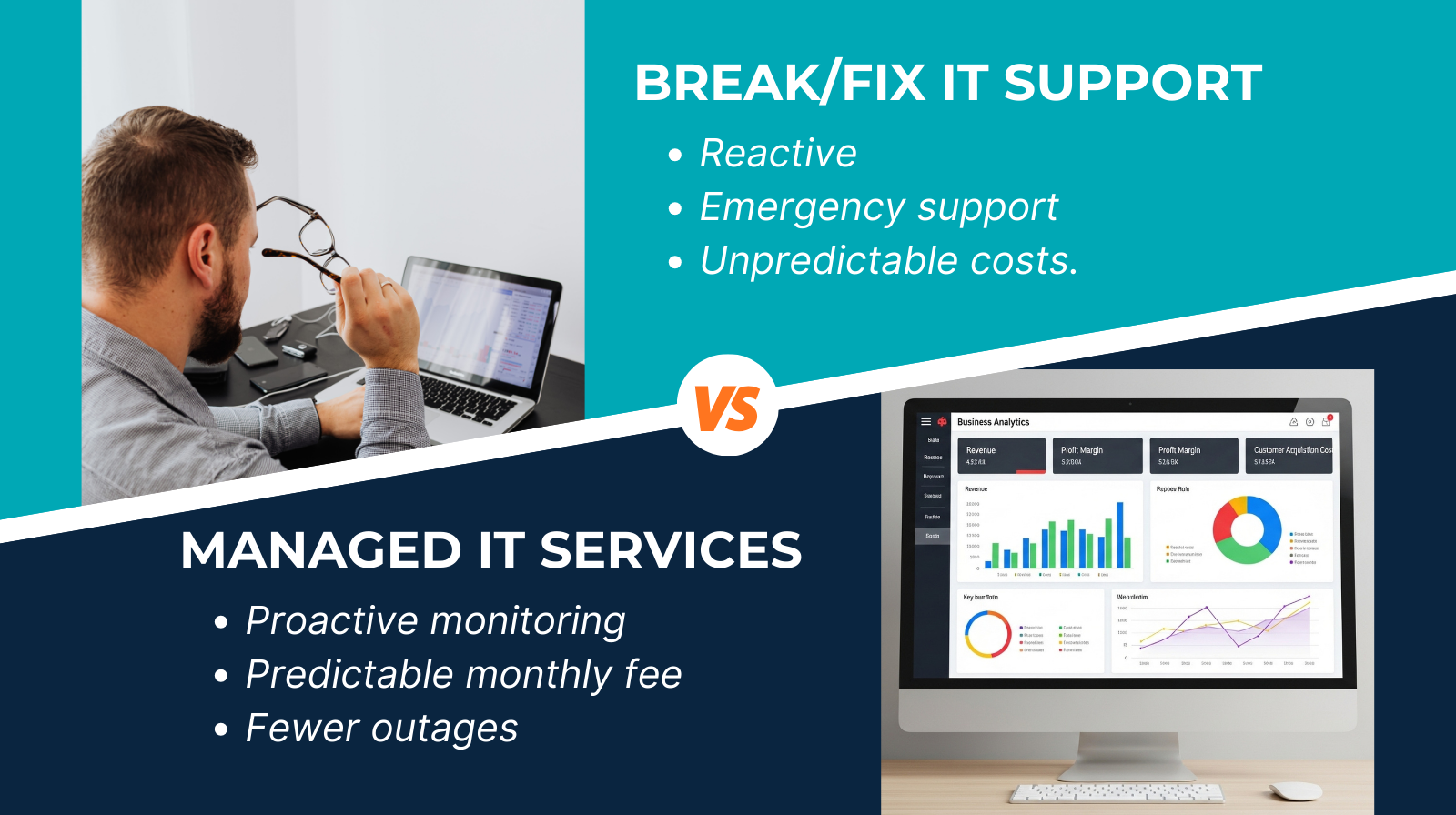
If you’ve ever rung an IT technician only when something breaks, you’ve already experienced break/fix support. And if you’ve ever wondered whether there’s a calmer, more predictable way to handle your technology, you’re not alone. Many UK small businesses feel stuck between reacting to problems and trying to keep costs under control.
This blog unpacks the real difference between break/fix IT support and managed IT services, in plain English. By the end, you’ll know which approach makes sense for your business today – and what might save you the most stress, time, and money in the long run.
Problem / Pain Point
Let’s be honest: IT issues rarely happen at a good time. A laptop dies five minutes before payroll, emails stop syncing when you’re about to send a proposal, the Wi-Fi decides it’s taking the afternoon off.
For many small businesses, the immediate reaction is simple: call someone in to fix it. But this reactive approach often leads to:
- Unpredictable costs – invoices that vary wildly month to month.
- Downtime that grinds work to a halt.
- Delayed fixes because an engineer isn’t always available.
- No ongoing maintenance or monitoring to stop issues recurring.
At the same time, some business owners worry that managed IT services sound expensive or overly complex. But in most cases, they simply provide a structured, proactive way to keep things running smoothly – without the constant fire-fighting.
Helpful Information / Solutions
What Is Break/Fix IT Support?
Break/fix is exactly what it sounds like: something breaks → you call for help → someone comes out (or logs in remotely) → you pay for the fix.
It’s transactional: no contract, no ongoing care, and no proactive monitoring.
Typical break/fix scenarios:
- A printer stops talking to the network.
- A laptop won’t boot.
- Your email stops syncing after an update.
- A shared drive disappears from everyone’s desktops.
You pay for the engineer’s time, any parts required, and that’s the end of the relationship until the next issue pops up.
What Are Managed IT Services?
Managed IT services take the opposite approach: instead of waiting for something to go wrong, your IT provider monitors, maintains, updates, and supports your systems continuously.
You pay a predictable monthly fee for a full package of services. Depending on the provider, this may include:
- Remote and onsite IT support
- Proactive monitoring (systems checked for issues before they become problems)
- Cyber security tools (antivirus, email filtering, patching)
- Data backups and recovery planning
- Microsoft 365 or Google Workspace management
- Device setup, upgrades, and lifecycle management
- Strategic guidance for future planning
In short: it's like having your own IT department, sized appropriately for your business.
How Managed Services Reduce Problems Before They Happen
Managed IT usually includes:
- Automatic updates and patching – so devices stay secure.
- Health monitoring – spotting failing hard drives or overloaded servers early.
- Cyber protection – reducing risk from phishing (scam emails trying to trick you), malware, and unsafe websites.
- Backups – regularly tested so you can recover quickly if something goes wrong
Cost Comparison – Predictable vs Variable
Break/fix bills fluctuate: one month you may spend nothing, the next you might spend hundreds or even thousands depending on the issue.
Managed IT services smooth this out. A fixed monthly cost means you can budget easily and avoid nasty surprises.
Support Availability and Response Times
Break/fix engineers may or may not be available immediately – and during busy periods, you could be waiting hours or days.
Managed IT clients typically receive guaranteed response times, sometimes within the hour, because they are already on a service plan.
Examples / Analogies / Stats
A helpful analogy: break/fix is like only calling a plumber when your pipes burst, while managed IT is like having your boiler serviced regularly so it doesn’t fail in the first place.
Some generic industry stats help underline the point (sources widely available from business IT and cyber security reports):
- Small businesses lose an estimated £1,000–£3,000 per hour of downtime on average, depending on staff size and turnover.
- More than 40% of small UK businesses experience at least one serious cyber incident each year.
- Regular patching and monitoring can reduce common IT issues by up to half, according to managed service provider surveys.
While these numbers vary, the message is clear: preventing problems is nearly always cheaper and less stressful than dealing with them after the fact.
Benefits (Why It Matters Now)
Many small businesses are now choosing managed IT services because they provide:
- Peace of mind – your systems are monitored and maintained.
- Less downtime – fewer disruptions, faster fixes.
- Predictable costs – easier budgeting and fewer shocks.
- Better cyber resilience – protection baked into your monthly service.
- A partner who understands your setup – not a stranger who sees your systems only when things are broken.
- Scalability – support can grow with your business.
In an age where downtime and cyber threats can hit even the smallest organisation, having proactive support is no longer a luxury – it’s becoming essential.
Actionable Tips (Do-Now Items)
If you’re deciding between break/fix and managed IT, here’s what to do next:
- List your current IT pain points – slow devices, poor Wi-Fi, frequent issues, security worries.
- Estimate downtime costs – even a rough figure helps highlight the impact.
- Check how often you’ve needed IT help in the past year – more than three or four callouts may indicate you’ve outgrown break/fix.
- Review your cyber protection – is it monitored? Is it updated regularly?
- Ask providers for a clear breakdown of services – check what is included in a managed plan.
- Look for predictable pricing – fixed monthly cost, no hidden extras.
These quick checks can help you choose the approach that best supports your business today.
Both break/fix and managed IT services have their place. If you rarely need help and have a simple setup, break/fix might still work. But if downtime, security worries, and unpredictable costs are becoming a headache, a managed IT service can take the pressure off and keep everything running smoothly.
Ready to cut downtime and stress? Book a quick chat and we’ll map the best option for your business.


